
50+ YouTube Thumbnail Ideas That Actually Get Clicks (By Niche)
Struggling for thumbnail inspiration? Discover 50+ proven YouTube thumbnail ideas organized by niche—gaming, vlogs, tutorials, finance, and more. With examples and tips to boost your CTR.
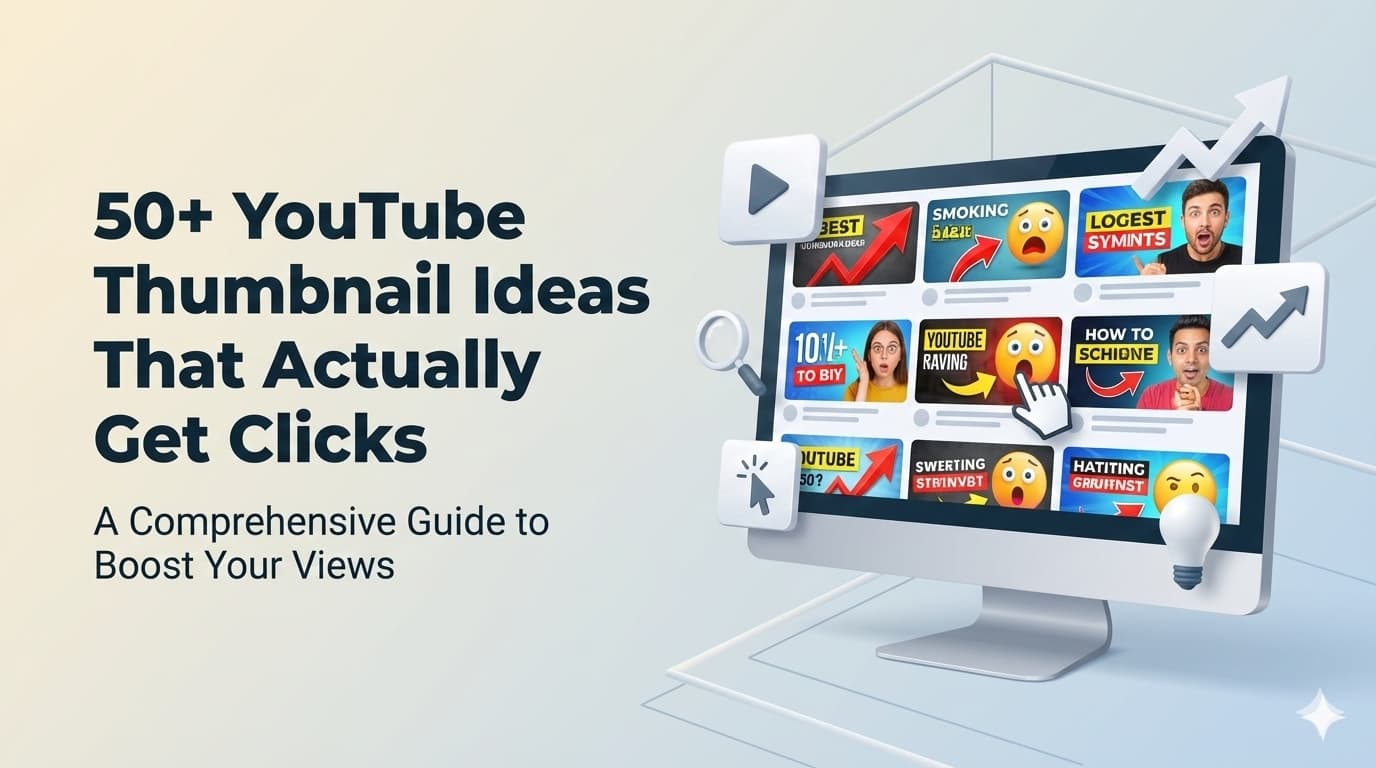
You've finished editing your video. It's good. Maybe even great. But now you're staring at a blank canvas, trying to figure out what thumbnail will make people actually click.
We've all been there. Thumbnail block is real.
That's why I've compiled 50+ YouTube thumbnail ideas organized by niche. Whether you make gaming content, vlogs, tutorials, or finance videos—you'll find inspiration that fits your channel.
Let's dive in.
Why Your Thumbnail Idea Matters More Than You Think
Before we get to the ideas, let's talk about why this matters.
Your thumbnail is the single biggest factor in whether someone clicks your video. Not your title. Not your channel name. Your thumbnail.
Here's the math: YouTube shows your video to potential viewers. In about 1-2 seconds, they decide to click or scroll. Your thumbnail is doing all the heavy lifting in that moment.
Top creators spend significant time on thumbnails because they understand this equation:
Better thumbnail idea → Higher CTR → More views → Algorithm boost → Even more views
A 1% improvement in CTR can mean thousands of additional views over a video's lifetime.
Now, let's get you some ideas.
Gaming Thumbnail Ideas
Gaming is one of YouTube's most competitive niches. Your thumbnails need to stand out in a sea of similar content.
1. The Reaction Face
Your genuine reaction to an in-game moment. Wide eyes, dropped jaw, hands on head. This works because viewers want to experience that same emotion.
Example: Your shocked face next to a legendary drop or impossible play.
2. Before/After Split
Show the transformation or progression. Works great for building games, character progression, or challenge videos.
Example: Split screen showing starter gear vs. endgame loadout.
3. The Big Number
If your video features impressive stats, make them the star. Damage numbers, kill counts, speedrun times.
Example: "1,000,000 DAMAGE" in massive text with the attack happening behind it.
4. Character Close-Up
A dramatic close-up of the game character, especially for story-driven games. Add mood lighting that matches the video's tone.
Example: Close-up of a character's face with dramatic red lighting for a horror game.
5. The Versus Layout
Two characters, items, or strategies facing off. Classic but effective for comparison content.
Example: Two characters on opposite sides with "VS" in the middle, lightning effects.
6. Glowing/Rare Item Showcase
Feature the rare item, weapon, or skin with enhanced glow effects. Make it look even more desirable than in-game.
Example: Legendary weapon with added particle effects and your excited face.
7. The "This Shouldn't Work" Setup
Show something that looks wrong or impossible. Creates instant curiosity.
Example: A clearly overpowered or silly loadout with skeptical expression.
8. Map/Location Reveal
For exploration or secrets content, show the location with markers or question marks indicating hidden content.
Example: Game map with red circles and "SECRET AREA?" text.
Vlog & Lifestyle Thumbnail Ideas
Personal content needs personal thumbnails. Here's how to make your life look click-worthy.
9. The Candid Moment
Capture a genuine moment from your video that tells a story. Not posed—real.
Example: Mid-laugh with friends, looking at something off-camera with surprise.
10. Location Reveal
If you're somewhere interesting, let the location sell the click. You small in frame, epic location filling the rest.
Example: You standing tiny against a massive landscape or city skyline.
11. The Pointing Technique
Point at something in the frame—text, an object, or a person. Directs viewer attention instantly.
Example: Pointing at new apartment/car/purchase with excited expression.
12. Lifestyle Flat Lay
Arrange items from your video in an aesthetic overhead shot. Works for hauls, travel packing, collections.
Example: Travel essentials arranged neatly with passport as centerpiece.
13. The Story Tease
Show a moment that makes viewers ask "what happened?" Don't give away the ending.
Example: You looking stressed or confused in an unusual situation.
14. Transformation Thumbnail
Side-by-side or split showing change. Room makeover, style change, weight loss, new skill.
Example: Before/after of room renovation with shocked reaction.
15. The Emotional Close-Up
If your video is emotional or personal, a close-up of your genuine expression tells viewers what to expect.
Example: Thoughtful expression, soft lighting, for serious topic videos.
16. Day-in-the-Life Snapshot
One compelling moment that represents the entire day. Make viewers curious about the context.
Example: Unusual or interesting moment from your routine with "5AM" or time stamp.
Tutorial & How-To Thumbnail Ideas
Educational content needs to promise clear value. These ideas make learning look irresistible.
17. The End Result
Show what viewers will achieve. The finished product, the skill in action, the transformation.
Example: Beautiful end result of the tutorial with "YOU can do this" text.
18. Tool/Material Showcase
Feature the key tool or material prominently. Viewers quickly understand what the tutorial covers.
Example: Main tool in focus with your hands demonstrating use.
19. Step-by-Step Tease
Show 2-3 steps visually in the thumbnail. Communicates that this is a process video.
Example: Three small images showing progression with numbered arrows.
20. The Mistake Prevention
Show what NOT to do with a red X. People click to avoid making the same mistake.
Example: Wrong technique with red X vs. correct technique with green checkmark.
21. Comparison Grid
If comparing options, tools, or methods—show them in a clean grid format.
Example: 4 options in quadrants with "BEST?" text above the winner.
22. The Secret Reveal
Suggest insider knowledge with visual cues. Finger over lips, magnifying glass, "hidden" elements.
Example: Magnifying glass over something with "SECRET METHOD" text.
23. Difficulty Scale
Show the skill level visually. Progress bars, stars, or "Beginner → Pro" spectrum.
Example: Difficulty meter showing "EASY" with checkmark and smiling face.
24. Problem → Solution
Left side shows the problem (red tint), right side shows the solution (green tint).
Example: Frustrated person with broken thing → Happy person with fixed thing.
Finance & Business Thumbnail Ideas
Trust and credibility matter in finance content. These ideas balance professionalism with click-appeal.
25. The Money Visual
Cash, coins, or numbers. Simple but effective. Make the financial benefit tangible.
Example: Stack of cash with upward arrow and specific dollar amount.
26. Graph Going Up
Show growth visually. Green line trending upward, portfolio screenshots, investment returns.
Example: Phone showing investment app with gains, your reaction next to it.
27. Calculator/Spreadsheet Focus
For budgeting or calculation content, feature the tool with impressive numbers visible.
Example: Calculator showing large number with "How I calculated..." text.
28. The Warning Thumbnail
Red background, warning symbols, serious expression. For "avoid this mistake" content.
Example: Red background with "DON'T DO THIS" and warning triangle.
29. Authority Pose
Professional setting, confident expression, business casual attire. Builds trust.
Example: Clean background, arms crossed confidently, clear text overlay.
30. Lifestyle Result
Show what financial success enables. Not flashy—aspirational but achievable.
Example: Working from laptop in nice location, "How I..." text.
31. News Reaction
For commentary on financial news, show the headline with your reaction to it.
Example: News headline screenshot with your surprised or concerned expression.
32. The Comparison
This vs. that in finance. Index funds vs. individual stocks. Renting vs. buying.
Example: Two options with green checkmark on your recommendation.
Tech & Review Thumbnail Ideas
Tech viewers want to see the product and your verdict. These ideas deliver both.
33. Product Hero Shot
The product beautifully lit against a clean background. Professional, focused, desirable.
Example: Product on minimalist background with subtle reflection.
34. The Unboxing Moment
Hands opening box with product visible. Captures the excitement of getting something new.
Example: Box being opened with product peeking out, anticipation expression.
35. Verdict Visual
Clear recommendation shown visually. Thumbs up/down, star rating, "WORTH IT?" text.
Example: Product with large green checkmark or red X based on verdict.
36. Size/Scale Comparison
Show the product next to something for scale. Especially effective for phones, laptops, gadgets.
Example: New phone next to old phone, hand holding both.
37. Feature Highlight
Zoom in on the key feature you're reviewing. Make the selling point visually obvious.
Example: Close-up of the specific feature with arrow pointing to it.
38. The Test Setup
Show how you're testing the product. Lab-like setup, measuring tools, real-world test environment.
Example: Product being tested with measurement or comparison visible.
39. Problem This Solves
Show the problem and hint that this product fixes it.
Example: Split showing frustration with old solution vs. new product.
40. Multi-Product Lineup
For comparison videos, line up all products being compared. Clean and informative.
Example: 5 products in a row with "BEST?" above one of them.
Food & Cooking Thumbnail Ideas
Food content is visual by nature. These ideas make your dishes irresistible.
41. The Money Shot
The finished dish, perfectly plated, steam rising if hot. Make viewers hungry.
Example: Close-up of finished dish with fork lifting a perfect bite.
42. Ingredient Spread
All ingredients laid out beautifully before cooking. Shows what's needed, looks aesthetic.
Example: Flat lay of colorful ingredients with recipe title text.
43. The Process Capture
A dramatic moment during cooking. Pouring, flipping, caramelizing, flambéing.
Example: Action shot of technique that makes the dish special.
44. Taste Reaction
Your genuine reaction taking the first bite. If it's good, viewers need to see that joy.
Example: Eyes closed in enjoyment, fork with food approaching mouth.
45. Before/After Cooking
Raw ingredients on one side, finished dish on the other. Shows transformation.
Example: Raw vs. cooked comparison with "Magic" or timer text.
46. The Cross-Section
Cut food open to reveal what's inside. Works for stuffed items, layered dishes, baked goods.
Example: Cutting into food with satisfying reveal of interior.
Fitness & Health Thumbnail Ideas
Fitness thumbnails need to inspire action. These ideas motivate clicks.
47. Transformation Visual
Progress photos showing real results. The most powerful thumbnail type in fitness.
Example: Before/after with timeframe text ("90 Days").
48. Exercise Demonstration
Mid-exercise pose showing peak form. Make it look achievable but impressive.
Example: Perfect form demonstration with muscle engagement visible.
49. The Equipment Setup
Feature the equipment needed for the workout. Helps viewers quickly assess if it's for them.
Example: Dumbbells, mat, and you ready to start with "No Gym Needed" text.
50. The Struggle Face
Genuine effort expression during workout. Relatable and motivating.
Example: Pushing through a tough rep with determination visible.
51. Body Part Focus
For targeted workouts, focus on the body part being trained with subtle highlighting.
Example: Arm workout thumbnail with arms prominently featured.
Universal Thumbnail Formulas That Work
Beyond niche-specific ideas, these formulas work across all content types.
The Curiosity Gap
Show something unusual without full explanation. Viewers click to understand.
The Bold Claim
Make a specific, impressive claim in the thumbnail. "I Made $10K" beats "Making Money Online."
The Controversy Trigger
Take a stance. "Why X is WRONG" or "The TRUTH About Y." Opinion drives engagement.
The List Preview
"7 Things" with 2-3 visible, others hidden. Viewers click to see the rest.
The Celebrity/Brand Connection
If your content relates to someone famous or a known brand, feature them prominently (fair use considered).
Thumbnail Mistakes to Avoid
Even with great ideas, execution matters. Avoid these common mistakes:
Too much text: If viewers can't read it at phone size, remove words.
Low contrast: Your thumbnail competes with dozens of others. Make elements pop.
Misleading imagery: Clickbait damages channel reputation. Promise what you deliver.
Forgetting mobile: 70%+ of YouTube viewing is mobile. Test your thumbnails at small sizes.
Copying exactly: Take inspiration from what works, but add your unique angle.
Putting These Ideas Into Action
Having ideas is step one. Executing them quickly is step two.
Here's the reality: spending 2 hours on each thumbnail isn't sustainable. The most consistent creators find ways to produce quality thumbnails efficiently.
This is where AI thumbnail makers become valuable. Instead of building each thumbnail from scratch:
- Pick an idea from this list that fits your video
- Describe it to an AI thumbnail maker
- Generate multiple versions in seconds
- Pick the best one and publish
Thumblr lets you turn any of these ideas into a professional thumbnail by simply describing what you want. Generate your first thumbnail free and see how fast you can go from concept to click-worthy design.
Your next video has an audience waiting. Give them a thumbnail worth clicking.
Related Articles
Free YouTube Thumbnail Maker: Create Pro Thumbnails Without Spending a Dime
Looking for a free YouTube thumbnail maker? Discover how to create professional, click-worthy thumbnails for free using AI-powered tools like Thumblr. No design skills required.
AI Thumbnail Maker: How to Create Stunning YouTube Thumbnails in Seconds (2025 Guide)
Discover the best AI thumbnail makers in 2025. Learn how artificial intelligence creates professional YouTube thumbnails in seconds, compare top tools, and boost your CTR without design skills.
YouTube Thumbnail Generator: The Complete Guide to Creating Click-Worthy Thumbnails in 2025
Discover the best YouTube thumbnail generators to create stunning thumbnails that boost your CTR. Compare AI tools, free options, and learn pro tips to make thumbnails that actually get clicks.
Ready to create stunning thumbnails?
Put these tips into practice with Thumblr.